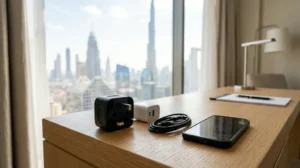

Staying connected to the internet is an important part of travelling. Whether you are checking directions, booking a taxi, contacting family or searching for nearby attractions, having a reliable internet connection can make your trip easier.
Dubai and other major destinations in the United Arab Emirates offer internet access in many public places, including airports, hotels, shopping malls, restaurants and cafes. Some of these locations provide free Wi-Fi, allowing visitors to connect without using their mobile data.
However, many tourists have an important question: is public Wi-Fi safe to use in Dubai?
Public Wi-Fi can be convenient, but connecting to an unfamiliar network may create privacy and security risks. A fake hotspot, an unsecured connection or a misleading login page could expose your personal information.
This guide explains how tourists can use public Wi-Fi more safely in Dubai, what to check before connecting and which online activities are better handled through a trusted private connection.
Is Public Wi-Fi Safe in Dubai?
Public Wi-Fi in Dubai can be useful for tourists, but its safety depends on the network, the provider and how you use it.
A Wi-Fi connection offered by a recognised airport, hotel, shopping mall or business may be a convenient option. However, the location alone does not guarantee that every network using its name is genuine.
For example, someone could create a Wi-Fi hotspot with a name similar to that of a nearby cafe or shopping mall. A visitor might connect without realising that the network is not operated by the actual business.
This is why you should verify the official network name before connecting.
Keep these points in mind:
- Use Wi-Fi networks provided directly by recognised businesses or facilities.
- Ask staff for the official network name when you are unsure.
- Avoid unfamiliar networks with suspicious names.
- Do not ignore browser security warnings.
- Avoid entering sensitive information on websites that you cannot verify.
- Disconnect from networks you no longer need.
Public Wi-Fi is suitable for many ordinary browsing activities when used carefully, but it should not automatically be treated as a private connection.
Where Can Tourists Find Public Wi-Fi in Dubai?
Visitors can find Wi-Fi access in several types of public and commercial locations across Dubai.
Availability, login requirements and usage limits can vary between providers and locations.
1. Dubai International Airport
Airports are among the most useful places for travellers to access internet services.
Passengers may need internet access to check flight information, contact their accommodation, arrange transport or inform family members about their arrival.
If you want to connect at the airport, check the official Wi-Fi instructions displayed by the airport or ask airport staff for assistance.
Avoid connecting to a network simply because its name includes the airport’s name. Confirm that it is the official network.
2. Hotels and Accommodation
Many hotels provide Wi-Fi for guests.
You may receive network details during check-in or find them in your room information. Some properties require a password, while others use a guest login page.
For a safer connection:
- Use the network details provided by reception.
- Avoid sharing your hotel Wi-Fi password publicly.
- Do not connect to similarly named networks without checking.
- Contact reception if the login page looks unusual.
If you are staying in an apartment or holiday rental, ask the host for the correct network details.
3. Shopping Malls
Dubai has many large shopping malls where visitors spend time shopping, eating and exploring attractions.
Some shopping destinations provide guest Wi-Fi facilities. The connection process may require registration or acceptance of usage conditions.
Before entering personal information, confirm that you are using the mall’s genuine Wi-Fi service.
4. Cafes and Restaurants
Some cafes and restaurants provide internet access to customers.
The Wi-Fi password may be available from staff, on a menu or through an official guest login process.
If a cafe offers free Wi-Fi, ask an employee for the correct network name instead of choosing an unfamiliar hotspot from your phone’s list.
5. Public and Tourist Facilities
Some public facilities and tourist destinations may provide internet access for visitors.
Availability is not the same everywhere, so check the information displayed at the location.
Do not assume that every public place in Dubai provides free Wi-Fi.
7 Safety Tips for Using Public Wi-Fi in Dubai
You do not need to be a technology expert to improve your online safety while travelling.
Following a few simple habits can reduce the risks associated with unfamiliar wireless networks.
1. Verify the Official Wi-Fi Network
Always confirm the correct network name before connecting.
For example, if you are sitting in a hotel lobby, ask reception which network belongs to the hotel.
Do not select a network only because its name looks familiar.
Fake hotspots sometimes use names that closely resemble genuine public networks.
2. Avoid Sensitive Activities on Unfamiliar Networks
Avoid accessing highly sensitive accounts when you are connected to an unfamiliar public network.
Activities that deserve extra caution include:
- Online banking.
- Financial transactions.
- Password changes.
- Accessing confidential work documents.
- Entering sensitive personal information.
When you need to complete an important financial or account-related task, using your mobile data or another trusted connection is generally a better choice.
3. Use Websites With HTTPS
Before entering information on a website, check that its address begins with HTTPS.
HTTPS helps protect information exchanged between your browser and the website through encryption.
However, HTTPS does not prove that a website is genuine. A fraudulent website can also use HTTPS.
Check the website address carefully and avoid suspicious links.
4. Turn Off Automatic Wi-Fi Connection
Some phones automatically connect to previously saved or available wireless networks.
This can be inconvenient when travelling because your device may connect to a network you did not intend to use.
Consider disabling automatic connections to unfamiliar networks.
You can manually select a network after confirming its identity.
5. Avoid Sharing Personal Information Through Unknown Login Pages
Some public Wi-Fi networks require visitors to open a login page.
A genuine service may ask you to accept terms or provide limited registration details.
Be cautious if a login page unexpectedly asks for sensitive information such as:
- Banking passwords.
- Payment card security codes.
- Email account passwords.
- Personal account recovery information.
If the request seems unnecessary or suspicious, do not continue.
6. Keep Your Phone and Apps Updated
Software updates often include security improvements.
Before travelling, check whether your phone has pending operating system or security updates.
Also update your commonly used applications.
A device running outdated software may have security weaknesses that newer updates are designed to address.
7. Disconnect When You Finish
You do not need to remain connected to a public Wi-Fi network after leaving a location.
Disconnect when you finish using the service.
You can also remove networks that you no longer trust from your saved Wi-Fi list.
Is Airport Wi-Fi Safe for Tourists in Dubai?
Airport Wi-Fi can be useful when you arrive in Dubai, especially if you need to contact your hotel or check your onward journey.
However, the same precautions apply at airports as they do at other public locations.
Before connecting:
- Read the official airport Wi-Fi instructions.
- Confirm the correct network name.
- Avoid similarly named hotspots.
- Do not ignore unexpected security warnings.
- Use mobile data for sensitive activities when possible.
If you cannot connect, ask airport staff for assistance rather than trying several unfamiliar networks.
You can also prepare your journey in advance by keeping your hotel address and important travel information available offline.
Should You Use Mobile Data Instead of Public Wi-Fi?
Mobile data can be a useful alternative when you do not want to depend on a public wireless connection.
With a suitable mobile data package, you can access the internet through your mobile network while travelling around the UAE.
Here is a simple comparison:
| Feature | Public Wi-Fi | Mobile Data |
|---|---|---|
| Availability | Depends on the location | Depends on mobile coverage |
| Cost | May be free | Depends on your package |
| Convenience | Useful in participating locations | Useful while moving around |
| Privacy | Depends on network security | Uses your mobile provider’s network |
| Login | May require guest registration | Usually uses your SIM or eSIM |
| Best use | General browsing and light internet use | Navigation and important personal tasks |
Mobile data is not automatically risk-free, but it gives you more control over the connection than an unfamiliar public hotspot.
If you are staying in the UAE for several days, compare available SIM or eSIM options before choosing a package.
Can You Use a VPN on Public Wi-Fi in Dubai?
A VPN, or Virtual Private Network, creates an encrypted connection between your device and a VPN service.
Some travellers use VPN services to add a layer of privacy when connecting to public networks.
However, a VPN is not a complete security solution.
It does not guarantee that a fake website is genuine, protect you from every scam or make unsafe downloads harmless.
Before using a VPN in the UAE, check the applicable local laws and regulations and choose a reputable service. Do not use any technology to carry out unlawful activities.
For ordinary browsing, verifying the network, using secure websites and keeping your device updated remain important precautions.
What Should You Do If You Connect to a Suspicious Wi-Fi Network?
If you accidentally connect to a network that seems suspicious, disconnect from it.
You can take the following general precautions:
- Disconnect your device from the network.
- Forget the network so your phone does not reconnect automatically.
- Avoid entering passwords or payment details through that connection.
- If you entered an important password, change it using a trusted connection.
- Review account activity if you believe your account information may have been exposed.
- Contact the relevant service provider if you notice suspicious account activity.
If you receive an unexpected login notification, do not click unknown links in messages. Open the relevant application or website directly using its official address.
How Can Tourists Stay Connected During a UAE Holiday?
A reliable internet connection can make travelling easier, particularly when visiting multiple destinations.
You may need internet access for navigation, online reservations, communication and travel updates.
Consider these simple preparations:
Download Important Information
Save your hotel address, booking details and important contact information so you can access them without an internet connection.
Keep a Backup Connection
If possible, arrange a suitable mobile data option for situations where public Wi-Fi is unavailable.
Use Trusted Apps
Download travel and navigation applications from official app stores.
Keep Your Phone Charged
A power bank can help when you spend several hours exploring the city.
Protect Your Personal Accounts
Use strong, unique passwords and enable available account security features.
For more preparation advice, read our UAE Emergency Numbers for Tourists guide so you know which contacts to use if an urgent situation occurs.
Public Wi-Fi Tips for Families Visiting Dubai
Families travelling with children may use public Wi-Fi to check directions, contact one another or access entertainment during a holiday.
Parents should also consider the security and privacy of devices used by younger family members.
Some useful precautions include:
- Connect family devices only to verified networks.
- Keep device software updated.
- Avoid saving payment information on shared devices.
- Do not allow children to enter personal information on unfamiliar websites.
- Use appropriate privacy and security settings.
- Keep important family contact details available offline.
Families planning a holiday can also read our UAE Family Travel Guide for additional travel preparation tips.
Frequently Asked Questions
1. Is public Wi-Fi free in Dubai?
Some airports, hotels, shopping malls, cafes and other facilities may offer free Wi-Fi. Availability and access conditions depend on the provider and location.
2. Is public Wi-Fi safe in Dubai?
It can be used for ordinary browsing when you follow basic security precautions. Always verify the network and avoid entering sensitive information through unfamiliar connections.
3. Can tourists use airport Wi-Fi in Dubai?
Visitors can check the airport’s official Wi-Fi facilities and follow the instructions provided at the airport.
4. Should I use public Wi-Fi for online banking?
It is better to use mobile data or another trusted connection for sensitive financial activities rather than an unfamiliar public network.
5. Do Dubai hotels provide free Wi-Fi?
Many hotels provide guest Wi-Fi, but availability, speed, login requirements and charges can vary by property. Check with your hotel before arrival.
6. Can I use my phone for navigation without public Wi-Fi?
Yes. You can use mobile data or download offline maps in advance, depending on the navigation application.
7. Does HTTPS make public Wi-Fi completely safe?
No. HTTPS encrypts communication between your browser and a website, but it does not guarantee that the website or Wi-Fi network is genuine.
8. Should I turn off automatic Wi-Fi connections while travelling?
Disabling automatic connections to unfamiliar networks can help prevent your device from joining a hotspot without your knowledge.
9. Is mobile data better than public Wi-Fi in Dubai?
Mobile data can be more convenient when travelling between locations and may be a better choice for sensitive activities. The best option depends on your needs and mobile package.
10. What should I do if a public Wi-Fi login page looks suspicious?
Do not enter your personal information. Disconnect and ask the business or facility for its official network details.
Final Thoughts
Public Wi-Fi can make a holiday in Dubai more convenient, allowing tourists to check directions, contact family and access travel information.
However, convenience should not come at the cost of online safety. Always verify the network, avoid unfamiliar login pages, keep your devices updated and use a trusted connection for sensitive activities.
With a few simple precautions, you can stay connected while exploring Dubai and other destinations across the United Arab Emirates.