
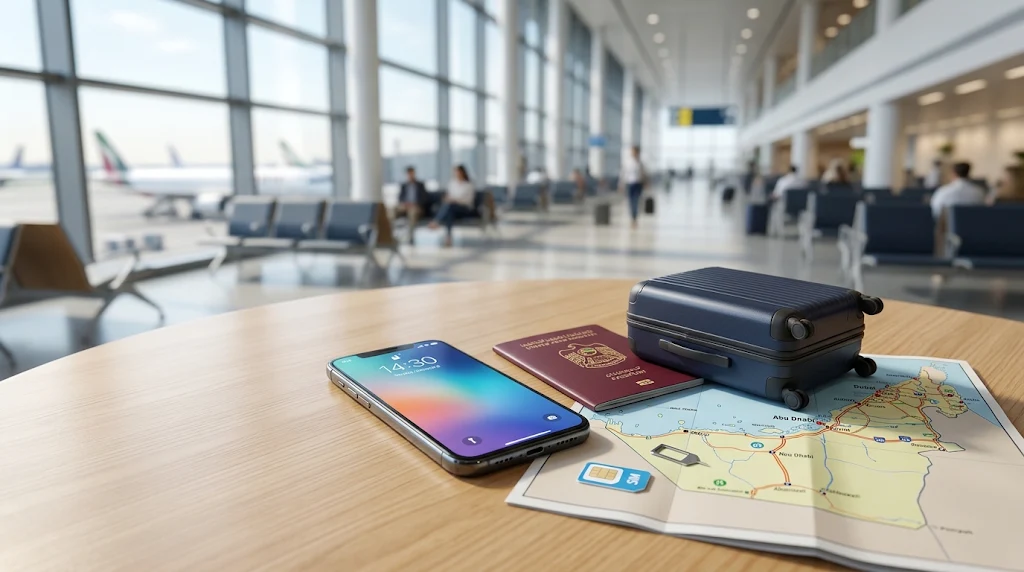
Staying connected is an important part of travelling in the United Arab Emirates. Visitors often need mobile internet to use maps, book taxis, contact hotels, check travel information, share documents, and stay in touch with family.
If you are planning a trip to Dubai, Abu Dhabi, Sharjah, or another emirate, getting a suitable mobile connection can make your journey easier. Tourists can explore options such as a physical prepaid SIM card or an eSIM, depending on their phone and travel needs.
This guide explains how to choose a UAE SIM card for tourists, what to check before buying one, how eSIMs work, and how to avoid common mobile internet problems during your visit.
Why Do Tourists Need a UAE SIM Card?
A local mobile connection can be useful throughout your UAE trip. Although hotels, airports, shopping centres, and some public places may offer Wi-Fi, relying entirely on public networks is not always convenient.
A local SIM or eSIM can help you:
- Use online maps while exploring different areas.
- Contact hotels, tour operators, and transport providers.
- Access ride-booking and travel applications.
- Receive booking updates and travel notifications.
- Make calls or use messaging services where supported.
- Browse the internet when you are away from Wi-Fi.
Having mobile data available can also make airport arrivals easier. You may need internet access to contact your accommodation or arrange your onward journey.
If you have a long stopover in Dubai, our Dubai Airport Layover Guide can help you plan your time before your next flight.
What Types of SIM Cards Can Tourists Use in the UAE?
Travellers generally have two main options: a physical SIM card and an eSIM.
1. Physical Prepaid SIM Card
A physical SIM is a small card that you insert into your mobile phone. It connects your device to a supported mobile network after the required registration and activation process.
A prepaid tourist SIM can be useful if:
- Your phone supports physical SIM cards.
- You prefer a traditional SIM instead of digital activation.
- You want to keep your setup simple.
- You are comfortable changing the SIM in your phone.
Before purchasing, check whether your phone is unlocked and compatible with the network. A phone locked to another mobile operator may not accept a different SIM.
Also, keep your home SIM card somewhere safe if you remove it during your trip.
2. eSIM for Tourists
An eSIM is a digital SIM built into a compatible device. Instead of inserting a physical card, you install a mobile plan using the activation method provided by the operator.
An eSIM can be convenient for international travellers because it may allow them to keep their existing physical SIM in the phone while using a separate mobile plan for travel.
However, not every phone supports eSIM technology.
Before purchasing an eSIM, check:
- Whether your exact phone model supports eSIM.
- Whether your phone is unlocked.
- Whether the selected plan works in the UAE.
- Whether the plan includes mobile data, calls, or both.
- How long the plan remains valid.
- Whether activation must take place before or after arrival.
Do not assume that every phone from the same brand supports eSIM. Compatibility can differ between models and regional versions.
Where Can Tourists Get a SIM Card in the UAE?
Visitors may find tourist mobile connection options at selected airport locations and authorised mobile operator outlets.
At the Airport
An airport can be a convenient place to look for a tourist SIM after arriving in the UAE.
Airport availability, participating outlets, and promotional offers can change. Check the current arrangements at your arrival airport rather than assuming that every terminal has the same services.
Before leaving the airport, make sure you understand:
- The amount of included data.
- The validity period.
- Whether local calls are included.
- Whether international calls are included.
- How to check your remaining balance.
- What happens when the included data is used.
At an Official Mobile Operator Store
You can also visit an authorised mobile operator store in the UAE.
This option may be helpful if you want assistance choosing a plan, checking device compatibility, or completing activation.
Take the identification documents requested by the operator. The registration requirements can depend on the type of SIM and the applicable rules.
Through an Online eSIM Service
Some mobile operators and travel connectivity providers offer eSIM plans online.
If you choose this method, review the provider’s terms carefully. Check the supported country, validity period, activation instructions, and refund policy before paying.
Use the provider’s official application or instructions to install the eSIM. Avoid buying a plan without first checking that your phone supports it.
How to Choose the Right UAE Tourist SIM Plan
The cheapest plan is not automatically the best option. Your choice should depend on how long you are staying and how you expect to use your phone.
1. Consider the Length of Your Stay
A traveller staying for a few days may need a different plan from someone visiting for several weeks.
Check the plan’s validity period and make sure it covers your expected travel dates.
A plan that expires before your departure may not be suitable, even if it includes enough data.
2. Estimate Your Mobile Data Usage
Think about how you normally use your phone while travelling.
For example:
- Light usage: Messaging, checking maps occasionally, and reading travel information.
- Moderate usage: Regular navigation, social media, browsing, and booking activities.
- Heavy usage: Frequent video streaming, uploading large files, and using a mobile hotspot.
If your accommodation offers reliable Wi-Fi, you may be able to reduce your mobile data requirements.
3. Check Whether Calls Are Included
Some plans focus mainly on mobile data, while others may include local calling minutes or additional services.
If you need to call hotels, local businesses, or travel providers, check the calling allowance before purchasing.
Do not assume that an internet-only plan includes ordinary mobile calls.
4. Check Hotspot and Tethering Rules
Some travellers use their phone as a hotspot to connect a laptop or tablet.
If you need this feature, check whether the selected plan permits tethering and whether any restrictions apply.
A plan with enough data for one phone may not be suitable for several connected devices.
5. Compare the Full Plan Details
Before making a decision, compare more than just the advertised data allowance.
Check the validity period, calling benefits, activation requirements, network coverage, renewal conditions, and any additional charges.
Mobile plans can change, so use the current information provided at the time of purchase.
How to Activate a UAE Physical SIM Card
The activation process depends on the operator and the type of SIM you purchase.
In general, the process may include the following steps:
Step 1: Check Your Phone
Make sure your phone is unlocked and compatible with the selected network.
Step 2: Complete the Required Registration
Follow the operator’s instructions for identity verification and registration.
Step 3: Insert the SIM Card
Insert the physical SIM into the correct SIM slot while following your phone manufacturer’s instructions.
Step 4: Follow the Activation Instructions
Some SIM cards activate automatically, while others require additional steps.
Follow the instructions supplied by the operator rather than relying on general instructions intended for a different plan.
Step 5: Test Your Connection
Once activation is complete, check whether your phone can access mobile data and make calls if those services are included.
If the connection does not work, contact the operator or visit an authorised store for assistance.
How to Set Up an eSIM in the UAE
The exact setup process varies by phone and mobile operator, but the general steps are similar.
Step 1: Confirm eSIM Compatibility
Check your phone’s settings or manufacturer’s specifications to confirm eSIM support.
Step 2: Purchase a Suitable Plan
Choose a plan that supports the UAE and matches your travel dates and data requirements.
Step 3: Follow the Installation Instructions
The provider may supply a QR code, application, or another supported installation method.
Use the instructions supplied with your plan.
Step 4: Select the Correct Mobile Data Line
If your phone supports multiple SIM profiles, check which line is selected for mobile data.
You may want to keep your home SIM available for certain services while using the travel eSIM for data. Check roaming charges with your home operator before using it abroad.
Step 5: Test the Connection
After installation and activation, check whether mobile data works.
If it does not, review the provider’s troubleshooting instructions and confirm that the plan is active and supported in your location.
How to Save Mobile Data While Travelling in the UAE
You do not need to use mobile data for every online activity. A few simple habits can help you manage your allowance.
Download Useful Information Before Leaving Wi-Fi
Save hotel details, booking confirmations, travel documents, and other important information so that you can access them when needed.
Some map applications also support offline map downloads. Downloading an area in advance can reduce the need for mobile data while navigating.
Use Wi-Fi When Appropriate
Use trusted Wi-Fi networks at your accommodation or other suitable locations for large downloads and software updates.
Avoid accessing sensitive accounts over unfamiliar public networks unless you have appropriate security protection.
Reduce Automatic App Updates
Your phone may download large updates or synchronise files in the background.
Review your mobile data settings and choose whether automatic updates and backups should use mobile data.
Monitor Your Data Usage
Most smartphones provide a mobile data usage section in their settings.
You can use it to identify applications that consume more data than expected.
Also check your remaining allowance through the operator’s supported application or account service.
Common UAE SIM Card Problems and How to Handle Them
A mobile connection may not work immediately after purchase. The following checks can help you understand common problems.
SIM Card Is Not Recognised
Check that the SIM is inserted correctly and that your phone is compatible and unlocked.
If the phone still does not recognise it, contact the operator.
Mobile Data Is Not Working
Confirm that the plan is active and that mobile data is enabled for the correct SIM.
Check the operator’s instructions for any required network settings. Do not change settings randomly if you are unsure what they do.
eSIM Installation Fails
Check device compatibility, internet access during installation, and the provider’s activation instructions.
If the installation code has already been used or the process has failed, contact the provider before attempting repeated installations.
Internet Is Slow
Connection quality can vary depending on location, network conditions, device capability, and the plan.
Try moving to a different location and check whether your plan has a speed restriction or data allowance limit.
SIM Validity Has Expired
Check the plan’s validity conditions and contact the operator if you need to extend or replace the service.
Do not assume that a SIM will remain active indefinitely after the original plan expires.
Important Tips Before Travelling to the UAE
A little preparation can prevent mobile connection problems after arrival.
- Check your phone before departure: Confirm that it is unlocked and supports your preferred SIM type.
- Keep your home number in mind: You may need it for banking messages or account verification.
- Check roaming charges: Your home operator may charge extra if you use its network abroad.
- Save important documents: Keep offline copies of hotel bookings and travel details.
- Understand plan validity: Make sure the selected package covers your stay.
- Keep activation details safe: Store any relevant instructions or confirmation messages.
- Protect your device: Use a screen lock and avoid sharing sensitive account information.
- Check your data allowance: Monitor usage so that you do not run out unexpectedly.
If you are preparing your luggage and travel documents, our Dubai Packing List may also be useful.
Frequently Asked Questions
1. Can tourists buy a SIM card in the UAE?
Tourists can access visitor mobile connection options through available authorised channels. The documents, registration process, and available plans depend on the operator and current requirements.
2. Is an eSIM better than a physical SIM for UAE travel?
An eSIM can be convenient because it does not require a physical card, but it only works on compatible and unlocked devices. A physical prepaid SIM may be more suitable for phones without eSIM support.
3. Can I keep my home SIM while using a UAE eSIM?
Many compatible phones support using more than one SIM line. However, the available features depend on your phone model. Check your home operator’s roaming charges before keeping that line active abroad.
4. Do UAE tourist SIM cards include unlimited data?
Not every tourist plan includes unlimited data. Plans differ in data allowance, validity, speed conditions, and other benefits. Check the exact terms before purchasing.
5. Can I use a UAE SIM card in Dubai and Abu Dhabi?
A suitable UAE mobile plan may work across different emirates, but coverage and service quality can vary by location and network conditions.
6. Can I use mobile internet for maps and taxi applications?
Yes, a suitable mobile data plan can help you use supported navigation and travel applications. Check that your plan has active data and that your phone has a working connection.
7. Should I buy a SIM card before arriving in the UAE?
You may be able to arrange an eSIM before travelling, depending on the provider and your device. A physical SIM can also be obtained through available local channels after arrival. Compare the activation instructions and conditions before choosing.
Final Thoughts
Getting a suitable mobile connection can make travelling around the United Arab Emirates easier. Whether you choose a physical prepaid SIM card or an eSIM, the important thing is to check compatibility, data allowance, validity, and activation requirements before purchasing.
Think about how long you will stay, how much mobile data you expect to use, and whether you need local calls or hotspot access. These details can help you choose a plan that fits your travel needs.
With a little preparation, you can stay connected while exploring Dubai, Abu Dhabi, and the other emirates without unnecessary confusion.